Showing posts with label Linux. Show all posts

Wednesday, June 24, 2009

Roderick W. Smith - Advanced Linux Networking


Roderick W. Smith - Advanced Linux Networking
Addison Wesley | ISBN: 0201774232 | 2002 | CHM | 784 pages | 3.23 MB

With an increasing number of networks and mission-critical applications running on Linux, system and network administrators must be able to do more than set up a server and rely on its default configuration. Advanced Linux Networking is designed to help you achieve a higher level of competence. It focuses on powerful techniques and features of Linux networking and provides you with the know-how you need to improve server efficiency, enhance security, and adapt to new requirements.

This book begins with a brief introduction to low-level configuration, including a guide to getting your network up and running. Part II outlines those servers and procedures most likely to be used by the computers on your local network: DHCP servers, Kerberos, Samba, time servers, and network backups, among others. Part III covers Internet servers: DNS, SMTP (sendmail, Postfix, and Exim), Apache, and FTP servers. Part IV examines network security, exploring such topics as using a chroot jail, iptables configuration, and VPNs. Wherever pertinent, the author addresses the differences between Caldera OpenLinux, Debian GNU/Linux, Mandrake, Red Hat, Slackware, SuSE, and TurboLinux.

Specific topics covered include:

· Configuring small but potentially important servers quickly and easily

· Optimizing Linux network operation

· Using advanced system features effectively

· Using systems and software in alternative ways to reach your goals

· Avoiding possible damage to your system and violations of ISP policies

· Securing your system

Advanced Linux Networking is the single-volume tutorial and reference for Linux networking that will help you achieve expert status.


----------------
Now playing: Chris Rea - Auberge [foobar2000 v0.9.6.8]
via FoxyTunes

Saturday, June 20, 2009

. What Every Superuser Should Know


How Linux Works
Publisher: No Starch Press | ISBN: 1593270356 | edition 2004 | CHM | 368 pages | 1 mb

“ How Linux Works describes the inside of the Linux system for systems administrators, whether you maintain an extensive network in the office or one Linux box at home. Some books try to give you copy-and-paste instructions for how to deal with every single system issue that may arise, but How Linux Works actually shows you how the Linux system functions so that you can come up with your own solutions. After a guided tour of filesystems, the boot sequence, system management basics, and networking, author Brian Ward delves into open-ended topics such as development tools, custom kernels, and buying hardware, all from an administrator's point of view. With a mixture of background theory and real-world examples, this book shows both "how" to administer Linux, and "why" each particular technique works, so that you will know how to make Linux work for you.

Contents

Chapter 1 - The Basics

Chapter 2 - Devices, Disks, Filesystems, and the Kernel

Chapter 3 - How Linux Boots

Chapter 4 - Essential System Files, Servers, and Utilities

Chapter 5 - Configuring Your Network

Chapter 6 - Network Services

Chapter 7 - Introduction to Shell Scripts

Chapter 8 - Development Tools

Chapter 9 - Compiling Software From Source Code

Chapter 10 - Maintaining the Kernel

Chapter 11 - Configuring and Manipulating Peripheral Devices

Chapter 12 - Printing

Chapter 13 - Backups

Chapter 14 - Sharing Files with Samba

Chapter 15 - Network File Transfer

Chapter 16 - User Environments

Chapter 17 - Buying Hardware for Linux

Chapter 18 - Further Directions

Appendix A - Command Classification

Bibliography

Index

List of Figures

List of Tables

List of Sidebars


----------------
Now playing: Chris Rea - Auberge [foobar2000 v0.9.6.8]
via FoxyTunes

Tuesday, May 26, 2009

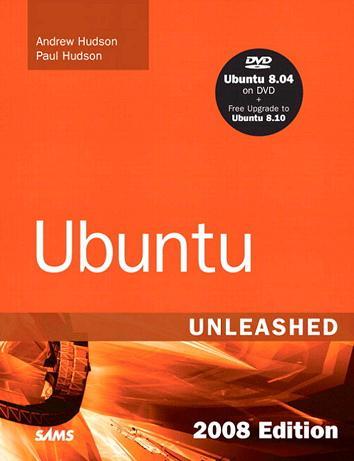
Ubuntu Unleashed 2008 Edition: Covering 8.04 and 8.10 (4th Edition)


Andrew Hudson, Paul Hudson - Ubuntu Unleashed 2008 Edition: Covering 8.04 and 8.10 (4th Edition)
Publisher: Sams 2008 | 864 Pages | ISBN: 067232993X | PDF |15 MB

Ubuntu Unleashed 2008 Edition presents comprehensive coverage of the popular Ubuntu Linux distribution. Windows users, Mac users, and Linux enthusiasts have been increasingly turning to Ubuntu for a user-friendly, easy-to-use Linux distribution.

This book provides detailed information on installing, using, and administering Ubuntu. You will learn how to set up a workstation or a server, and you will find complete details on Ubuntu’s easy-to-use desktop and productivity software.

Ubuntu Unleashed 2008 Edition includes a range of coverage: From the software you need in your everyday work, such as the OpenOffice.org productivity suite, to how to configure your Linux desktop to run smoothly using multiple printers, shell scripts, and more.

For the hardcore Linux enthusiast, there is complete coverage of the X Window system, Linux programming, web server administration, and network administration.

Includes a DVD with a full Ubuntu Linux distribution, plus a free upgrade to Ubuntu Linux 8.10 once it is released


Andrew Hudson is a freelance journalist who specializes in writing about Linux. He has significant experience in Red Hat and Debian-based Linux distributions and deployments and can often be found sitting at his keyboard tweaking various settings and config files just for the hell of it. He lives in Wiltshire, which is a county of England, along with his wife, Bernice, and their son, John. Andrew does not like Emacs. He can be reached at andy.hudson@gmail.com.

Paul Hudson is a recognized expert in open-source technologies. He is also a professional developer and full-time journalist for Future Publishing. His articles have appeared in Mac Format, PC Answers, PC Format, PC Plus, and Linux Format. Paul is passionate about free software in all its forms and uses a mix of Linux and BSD to power his desktops and servers. Paul likes Emacs. Paul can be contacted through http://hudzilla.org.


Contents at a Glance

Introduction................................................................... 1

Part I Installation and Configuration
1. Installing Ubuntu......................................................11
2. Post-Installation Configuration .............................25
3. Working with Gnome...............................................51
4. Command Line Quickstart .....................................79

Part II Desktop Ubuntu
5. On the Internet.......................................................113
6. Productivity Applications .....................................133
7. Multimedia Applications .......................................153
8. Printing with Ubuntu ............................................185
9. Games......................................................................197

Part III System Administration
10. Managing Users....................................................209
11. Automating Tasks.................................................233
12. System-Monitoring Tools....................................289
13. Backing Up.............................................................301
14. Networking............................................................325
15. Remote Access with SSH and Telnet.................371

Part IV Ubuntu as a Server
16. File and Print.........................................................381
17. Apache Web Server Management......................407
18. Remote File Serving with FTP............................439
19. Handling Electronic Mail......................................471
20. Proxying and Reverse Proxying .......................489
21. Administering Database Services ......................499
22. LDAP......................................................................525

Part V Programming Linux
23. Using Perl .............................................................537
24. Working with Python ..........................................561
25. Writing PHP Scripts.............................................579
26. C/C++ Programming Tools for Ubuntu........613
27. Mono..........................................................625

Part VI Ubuntu Housekeeping
28. Securing Your Machines .....................................639
29. Performance Tuning.............................................651
30. Command Line Masterclass................................663
31. Managing Software ..............................................689
32. Kernel and Module Management........................701

Part VII Appendixes
A. Ubuntu Under the Hood ........................................727
B. Installation Resources ............................................737
C. Ubuntu and Linux Internet Resources ................759
Index .............................................................................???


Monday, May 25, 2009

LPI Linux Certification in a Nutshell


LPI Linux Certification in a Nutshell
Publisher: O'Reilly Media | ISBN: 0596005288 | edition 2006 | CHM | 961 pages | 2,28 mb

You may not have heard of the Linux Professional Institute (LPI) or its professional certifications, but they're becoming an important part of proving professional competence in the Linux operating system. That aside, LPI Linux Certification in a Nutshell is a fantastic introductory Linux book, well suited to introducing a curious newcomer to the environment and bringing an intermediate user up to expert status.

The book is organized around the LPI's published standards for two Level 1 exams (exams 101, which deals with key commands and file-system concepts, and 102, which places more emphasis on hardware, networking, and shell scripting). The organization works well even if you're not specifically preparing for either exam.

LPI Linux Certification in a Nutshell assumes nothing in early chapters, going so far--to cite one example--as to walk readers through the concept of commands with parameters separately from the concept of commands alone. Later, the pace picks up, and strategic advice is substituted (such as how to partition a disk for maximum speed and reliability) for "type-this" instructions.

Throughout, the book makes effective use of O'Reilly's time-tested and remarkably clear format for presenting Unix commands and configuration files. Each chapter concludes with a series of exercises designed to help you discover behaviors on your own, and includes the practice questions you expect in a test-prep aid. --David Wall

Topics covered: The knowledge that's tested on the Linux Professional Institute's exams 101 and 102, which includes everything from basic Linux commands and concepts to installation of the operating system, essential network configuration, and kernel recompilation.


Table of Contents

Preface

Part I: General Linux Exam 101

Chapter 1. LPI Exams
Section 1.1. Exam 101 Overview

Chapter 2. Exam 101 Study Guide
Section 2.1. Exam Preparation

Chapter 3. Hardware and Architecture (Topic 1.101)
Section 3.1. Objective 1: Configure Fundamental BIOS Settings
Section 3.2. Objective 3: Configure Modems and Sound Cards
Section 3.3. Objective 4: Set Up Non-IDE Devices
Section 3.4. Objective 5: Set Up Different PC Expansion Cards
Section 3.5. Objective 6: Configure Communications Devices
Section 3.6. Objective 7: Configure USB Devices

Chapter 4. Linux Installation and Package Management (Topic 1.102)
Section 4.1. Objective 1: Design a Hard Disk Layout
Section 4.2. Objective 2: Install a Boot Manager
Section 4.3. Objective 3: Make and Install Programs from Source
Section 4.4. Objective 4: Manage Shared Libraries
Section 4.5. Objective 5: Use Debian Package Management
Section 4.6. Objective 6: Use Red Hat Package Manager (RPM)

Chapter 5. GNU and Unix Commands (Topic 1.103)
Section 5.1. Objective 1: Work on the Command Line
Section 5.2. Objective 2: Process Text Streams Using Filters
Section 5.4. Objective 3: Perform Basic File Management
Section 5.5. Objective 4: Use Streams, Pipes, and Redirects
Section 5.6. Objective 5: Create, Monitor, and Kill Processes
Section 5.7. Objective 6: Modify Process Execution Priorities
Section 5.8. Objective 7: Search Text Files Using Regular Expressions
Section 5.9. Objective 8: Perform Basic File Editing Operations Using vi

Chapter 6. Devices, Linux Filesystems, and the Filesystem Hierarchy Standard (Topic 1.104)
Section 6.1. Objective 1: Create Partitions and Filesystems
Section 6.2. Objective 2: Maintain the Integrity of Filesystems
Section 6.3. Objective 3: Control Filesystem Mounting and Unmounting
Section 6.4. Objective 4: Set and View Disk Quotas
Section 6.5. Objective 5: Use File Permissions to Control Access to Files
Section 6.6. Setting Up a Workgroup Directory
Section 6.7. Objective 6: Manage File Ownership
Section 6.8. Objective 7: Create and Change Hard and Symbolic Links
Section 6.9. Objective 8: Find System Files and Place Files in the Correct Location

Chapter 7. The X Window System (Topic 1.1.10)
Section 7.1. An Overview of X
Section 7.2. Objective 1: Install and Configure X11
Section 7.3. Objective 2: Set Up a Display Manager
Section 7.4. Objective 4: Install and Customize a Window Manager Environment

Chapter 8. Exam 101 Review Questions and Exercises
Section 8.1. Hardware and Architecture (Topic 1.101)
Section 8.2. Linux Installation and Package Management (Topic 1.102)
Section 8.3. GNU and Unix Commands (Topic 1.103)
Section 8.4. Devices, Linux Filesystems, and the Filesystem Hierarchy Standard (Topic 1.104)
Section 8.5. The X Window System (Topic 1.110)

Chapter 9. Exam 101 Practice Test
Section 9.1. Questions
Section 9.2. Answers

Chapter 10. Exam 101 Highlighter's Index
Section 10.1. Hardware and Architecture
Section 10.2. Linux Installation and Package Management
Section 10.3. GNU and Unix Commands
Section 10.4. Devices, Linux Filesystems, and the Filesystem Hierarchy Standard
Section 10.5. The X Window System

Part II: General Linux Exam 102

Chapter 11. Exam 102 Overview

Chapter 12. Exam 102 Study Guide
Section 12.1. Exam Preparation

Chapter 13. Kernel (Topic 1.105)
Section 13.1. Objective 1: Manage/Query Kernel and Kernel Modules at Runtime
Section 13.2. Objective 2: Reconfigure, Build, and Install a Custom Kernel and Kernel Modules

Chapter 14. Boot, Initialization, Shutdown, and Runlevels (Topic 1.106)
Section 14.1. Objective 1: Boot the System
Section 14.2. Objective 2: Change Runlevels and Shut Down or Reboot System

Chapter 15. Printing (Topic 1.107)
Section 15.1. An Overview of Printing
Section 15.2. Objective 2: Manage Printers and Print Queues
Section 15.3. Objective 3: Print Files
Section 15.4. Objective 4: Install and Configure Local and Remote Printers

Chapter 16. Documentation (Topic 1.108)
Section 16.1. Objective 1: Use and Manage Local System Documentation
Section 16.2. Objective 2: Find Linux Documentation on the Internet
Section 16.3. Objective 5: Notify Users on System-related Issues

Chapter 17. Shells, Scripting, Programming, and Compiling (Topic 1.109)
Section 17.1. Objective 1: Customize and Use the Shell Environment
Section 17.2. Objective 2: Customize or Write Simple Scripts

Chapter 18. Administrative Tasks (Topic 1.111)
Section 18.1. Objective 1: Manage Users and Group Accounts and Related System Files
Section 18.2. Objective 2: Tune the User Environment and System Environment Variables
Section 18.3. Objective 3: Configure and Use System Log Files to Meet Administrative and Security Needs
Section 18.4. Objective 4: Automate System Administration Tasks by Scheduling Jobs to Run in the Future
Section 18.5. Objective 5: Maintain an Effective Data Backup Strategy
Section 18.6. Objective 6: Maintain System Time

Chapter 19. Networking Fundamentals (Topic 1.112)
Section 19.1. Objective 1: Fundamentals of TCP/IP
Section 19.2. Objective 3: TCP/IP Configuration and Troubleshooting
Section 19.3. Objective 4: Configure Linux as a PPP Client

Chapter 20. Networking Services (Topic 1.113)
Section 20.1. Objective 1: Configure and Manage inetd, xinetd, and Related Services
Section 20.2. Objective 2: Operate and Perform Basic Configuration of Mail Transfer Agent (MTA)
Section 20.3. Objective 3: Operate and Perform Basic Configuration of Apache
Section 20.4. Objective 4: Properly Manage the NFS and Samba Daemons
Section 20.5. Objective 5: Set Up and Configure Basic DNS Services
Section 20.6. Objective 7: Set Up Secure Shell (OpenSSH)

Chapter 21. Security (Topic 1.114)
Section 21.1. Objective 1: Perform Security Administration Tasks
Section 21.2. Objective 2: Set Up Host Security
Section 21.3. Objective 3: Set Up User-level Security

Chapter 22. Exam 102 Review Questions and Exercises
Section 22.1. Kernel (Topic 1.105)
Section 22.2. Boot, Initialization, Shutdown, and Runlevels (Topic 1.106)
Section 22.3. Printing (Topic 1.107)
Section 22.4. Documentation (Topic 1.108)
Section 22.5. Shells, Scripting, Programming, and Compiling (Topic 1.109)
Section 22.6. Administrative Tasks (Topic 1.111)
Section 22.7. Networking Fundamentals (Topic 1.112)
Section 22.8. Networking Services (Topic 1.113)
Section 22.9. Security (Topic 1.114)

Chapter 23. Exam 102 Practice Test
Section 23.1. Questions
Section 23.2. Answers

Chapter 24. Exam 102 Highlighter's Index
Section 24.1. Kernel (Topic 1.105)
Section 24.2. Boot, Initialization, Shutdown, and Runlevels (Topic 1.106)
Section 24.3. Printing (Topic 1.107)
Section 24.4. Documentation (Topic 1.108)
Section 24.5. Shells, Scripting, Programming, and Compiling
Section 24.6. Administrative Tasks (Topic 1.111)
Section 24.7. Networking Fundamentals (Topic 1.112)
Section 24.8. Networking Services (Topic 1.113)
Section 24.9. Security (Topic 1.114)

Part III: General Linux Exam 201

Chapter 25. Linux Kernel
Section 25.1. Objective 1: Kernel Components
Section 25.2. Objective 2: Compiling a Kernel
Section 25.3. Objective 3: Patching a Kernel
Section 25.4. Objective 4: Customizing a Kernel

Chapter 26. System Startup
Section 26.1. Objective 1: Customizing System Startup and Boot Processes
Section 26.2. Objective 2: System Recovery

Chapter 27. Filesystem
Section 27.1. Objective 1: Operating the Linux Filesystem
Section 27.2. Objective 2: Maintaining a Linux Filesystem
Section 27.3. Objective 3: Creating and Configuring Filesystem Options

Chapter 28. Hardware (Topic 2.204)
Section 28.1. Objective 1: Configuring RAID
Section 28.2. Objective 2: Adding New Hardware
Section 28.3. Objective 3: Software and Kernel Configuration
Section 28.4. Objective 4: Configuring PCMCIA Devices

Chapter 29. File and Service Sharing (Topic 2.209)
Section 29.1. Objective 1: Configuring a Samba Server
Section 29.2. Objective 2: Configuring an NFS Server

Chapter 30. System Maintenance (Topic 2.211)
Section 30.1. Objective 1: System Logging
Section 30.2. Objective 2: Packaging Software
Section 30.3. Objective 3: Backup Operations

Chapter 31. System Customization and Automation (Topic 2.213)
Section 31.1. Objective 1: Automating Tasks Using Scripts

Chapter 32. Troubleshooting (Topic 2.214)
Section 32.1. Objective 1: Creating Recovery Disks
Section 32.2. Objective 2: Identifying Boot Stages
Section 32.3. Objective 3: Troubleshooting Boot Loaders
Section 32.4. Objective 4: General Troubleshooting
Section 32.5. Objective 5: Troubleshooting System Resources
Section 32.6. Objective 6: Troubleshooting Environment Configurations

Chapter 33. LPI Exam 201 Review Questions and Exercises
Section 33.1. Linux Kernel (Topic 2.201)
Section 33.2. System Startup (Topic 2.202)
Section 33.3. Filesystem (Topic 2.203)
Section 33.4. Hardware (Topic 2.204)
Section 33.5. File and Service Sharing (Topic 2.209)
Section 33.6. System Maintenance (Topic 2.211)
Section 33.7. System Customization and Automation (Topic 2.213)
Section 33.8. Troubleshooting (Topic 2.214)

Chapter 34. Exam 201 Practice Test
Section 34.1. Questions
Section 34.2. Answers

Part IV: General Linux Exam 202

Chapter 35. Networking Configuration (Topic 2.205)
Section 35.1. Objective 1: Basic Networking Configuration
Section 35.2. Objective 2: Advanced Network Configuration and Troubleshooting

Chapter 36. Mail and News (Topic 2.206)
Section 36.1. Objective 2: Using Sendmail
Section 36.2. Objective 3: Managing Mail Traffic
Section 36.3. Objective 1: Configuring Mailing Lists
Section 36.4. Objective 4: Serving News
Section 36.5. Conclusion

Chapter 37. DNS (Topic 2.207)
Section 37.1. Objective 1: Basic DNS Server Configuration
Section 37.2. Objective 2: Create and Maintain DNS Zones
Section 37.3. Objective 3: Securing a DNS Server

Chapter 38. Web Services (Apache and Squid, Topic 2.208)
Section 38.1. Installing Apache
Section 38.2. Configuring Apache
Section 38.3. Squid: History and Overview
Section 38.4. Squid Authentication
Section 38.5. Squid as Web Accelerator

Chapter 39. Network Client Management (Topic 2.210)
Section 39.1. Objective 1: DHCP Configuration
Section 39.2. Objective 2: NIS Configuration
Section 39.3. Objective 3: LDAP Configuration
Section 39.4. Objective 4: PAM Authentication

Chapter 40. System Security (Topic 2.212)
Section 40.1. Objective 2: Configuring a Router
Section 40.2. Objective 3: Securing FTP Servers
Section 40.3. Objective 4: Secure Shell (SSH)
Section 40.4. Objective 5: TCP Wrappers
Section 40.5. Objective 6: Security Tasks

Chapter 41. Network Troubleshooting (Topic 214)
Section 41.1. Network Troubleshooting Essentials
Section 41.2. Common Troubleshooting Commands
Section 41.3. Hardware Problems
Section 41.4. Network Device Configuration Files
Section 41.5. DNS Errors
Section 41.6. Determining the Cause of Inaccessible Services
Section 41.7. Conclusion

Chapter 42. Exam 202 Review Questions and Exercises
Section 42.1. Networking Configuration (Topic 2.205)
Section 42.2. Mail and News (Topic 2.206)
Section 42.3. DNS (Topic 2.207)
Section 42.4. Web Services (Topic 2.208)
Section 42.5. Answers
Section 42.6. Network Client Management (Topic 2.210)
Section 42.7. System Security (Topic 2.212)
Section 42.8. Network Troubleshooting (Topic 2.214)

Chapter 43. Exam 202 Practice Test
Section 43.1. Questions
Section 43.2. Answers

About the Authors
Colophon
Index